
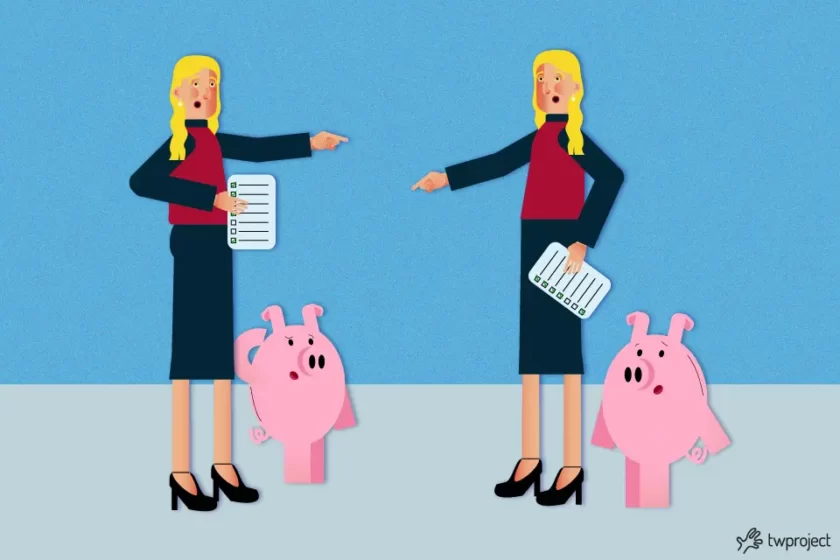
Joint work among multiple people, teams, or departments is now a standard in many businesses, but when it isn’t managed properly, it is one of the main sources of inefficiency: tasks done twice, scattered information, and unclear responsibilities.
The challenge is most evident in marketing agencies, where multiple team members – often in-house, freelance, or part-time—work jointly on the same creative projects, clients, and sometimes even the same files, without a system to track who did what.
CONTENT
In an agency, a single project can pass through the hands of copywriters, graphic designers, social media managers, and account executives within a matter of hours.
If the handoff isn’t tracked, the risk is that two people will edit the same draft at the same time, that a client will get two different versions of the same material, or that a task will simply get forgotten because “it was assumed someone else would cover it.”
This isn’t a problem of incompetent people: it’s a process issue.
Why joint work must be visible
Visibility is the first prerequisite for minimizing confusion and redundancy. In a shared project, everyone must be able to see what concerns them but also understand the broader picture in which their work fits.
This doesn’t mean showering everyone with information. Instead, you need to make the right information accessible to the right people. Every team member must know which tasks are assigned to them, which deadlines they must meet, and which activities their work depends on.
Project managers must maintain an overview of their project’s progress, workloads, costs, and critical issues. Business executives must be able to assess project performance without constantly requesting manual updates.
Visibility also helps employers better organize flexible work. When part of the team works remotely, part on-site, and part on a part-time schedule, attendance alone cannot be the only determinant of productivity. What’s needed is a view based on tasks, results, and actual progress.
In this regard, shared work should not be micromanaged, but rather guided by reliable data.
Marketing agencies, for example, operate under tight deadlines, on short-term projects, and with teams whose structures change from one client to the next. This fluidity is a competitive edge, but it also fuels confusion when there’s no single source of truth.
A brief sent via email, an approval announced verbally in one of many meeting rooms, a file saved in three different folders—these are all cracks through which errors and duplicates seep.
The focal point is that shared work must be trackable in real time, not reconstructed afterward. When an account manager and a creative, for example, work jointly on the same campaign, both need to be able to see the current status of their work without having to ask each other, “Where are you in this process?”
Good project management software provides a solution to this very problem: It centralizes tasks, versions, and comments in a single environment, eliminating the need to chase down updates dispersed across chats, emails, and personal notes.
Rules for avoiding confusion in joint work
To make shared work effective, you need to set some operating rules.
The first concerns accountability: Every task must be assigned to someone. Even when multiple people collaborate on the same task, it must be clear who is responsible for coordination, execution, and approval.
The second rule relates to priorities. Not all tasks are equally important. Without shared priorities, people tend to work on what they consider most urgent, not necessarily what is most important for the project.
The third rule involves task updates. A task cannot remain “in progress” indefinitely. It must be clear whether it is to be started, in progress, on hold, under review, or completed.
The fourth rule involves documentation. Files, notes, decisions, and attachments must be linked to their corresponding tasks. This way, when someone joins the project at a later stage, they won’t have to piece together the history by digging through emails and folders.
Finally, it’s vital to track time. Knowing how much time is spent on tasks helps you improve estimates, control costs and spot any inefficiencies.
Joint work and resource management
Another critical aspect of shared work is resource management. When several projects progress concurrently, the same people may be involved in different assignments. Without centralized planning, the risk of overload is very high.
This is particularly true in companies that manage mixed teams, part-time employees, or staff spread across multiple locations. Resources may only be available on specific days, work on multiple projects, or split their time between operational tasks and meetings.
Collaborative work can only be sustainable if work is visible. Project managers must know who is available, who is already busy, which tasks are late, and which ones risk bringing the project to a halt.
Shared physical or digital workspaces can promote collaboration, but they aren’t enough to address production capacity constraints. To do that, you need a tool that connects people to tasks and tasks to the project schedule.

How Twproject simplifies joint work
Twproject is designed to help companies manage projects, tasks, resources, schedules, and costs in a single platform. This is a powerful tool for teams working collaboratively, helping to reduce confusion, duplication, and scattered information.
With Twproject, each project can be structured into tasks, subtasks, milestones, and dependencies. Individual tasks can be assigned to one or more managers, along with deadlines, priorities, progress statuses, and related documents. This ensures that everyone knows exactly what to do and where to find the necessary information.
Twproject’s plus lies in its option to combine planning with day-to-day operations. It’s not just a tool for drafting an early plan, but a must-have for tracking daily work. Your team can update tasks, track time, report issues, and collaborate without losing sight of the big picture.
For project managers, Twproject provides a comprehensive overview of project progress. You can monitor workloads, delays, budgets, actual time spent, and critical issues. This makes it easier to take action before small problems become major obstacles.
When it comes to joint work, this level of visibility is crucial: it reduces overlaps, clarifies responsibilities, and ensures everyone is working from the same version of reality.
Twproject, a one-stop shop for managing projects and resources
One of the main benefits of Twproject is centralization. Rather than having information scattered across emails, chats, documents, and spreadsheets, the team can work in a single project-specific environment.
Communications are no longer fragmented but instead linked to specific tasks. Instead of being scattered, documents are linked to their respective assignments. Deadlines are no longer noted in personal calendars but are integrated into planning. Hours worked are no longer hidden but become meaningful data for analyzing project progress.
This approach is highly beneficial when several people jointly work on complex tasks. Every update becomes traceable, and everyone on the team can view the most recent status of the work.
Twproject also helps reduce the need for meetings. Meetings will still be important, but they don’t have to be the only time the team gets on the same page. When information is up-to-date and accessible, many checks can be performed directly within the software, freeing up time for more strategic decisions.
Flexible work without losing control
Flexible work is now a competitive edge for many companies, but it requires the right tools. If people work at different times or from different locations, coordination can’t simply rely on real-time communication.
Twproject helps you manage joint work even when the team isn’t always online at the same time. Everyone can check their assigned tasks, update their status, log their hours, and review priorities. Project managers can track progress without constantly asking for individual updates.
This is also beneficial for employers, who can review the organization of work based on objective data. The focus shifts from physical attendance to results, and from constant availability to accountability for tasks.
As a result, work that isn’t constrained by a specific location or schedule can be managed more effectively. Flexibility doesn’t lead to chaos, but rather to a smarter way of organizing people’s efforts.
Shared work is a valuable asset for modern businesses, but it can become a headache if not managed carefully.
By centralizing project, resource, and task management, Twproject helps teams collaborate more efficiently, minimizing errors and overlaps.
Ultimately, the goal isn’t just to work together, but to work better together.