
In consulting projects, meeting deadlines isn’t a matter of good will—it’s a matter of tools. When planning is scattered across Excel spreadsheets, emails, and separate tools, delays always arise too late to be managed. The problem isn’t the complexity of the project—it’s the lack of real-time visibility.
Below, we’ll show you, using practical examples, how to implement simple planning strategies—with the right tools—to keep project timelines under control throughout their execution.
CONTENT
- Foreword: goal-oriented work vs. results-oriented work
- Why scope-oriented projects risk getting out of hand
- How do you keep track of the scope using a Gantt chart?
- How do you use ToDos to track additional requests?
- How do you compare the initial plan with the actual progress?
- How do you integrate time and cost tracking into a single system?
- A real-life case: Gap Studi e Consulenze
- Want to see how it works with the structure of your projects?
Foreword: fixed price work vs. fixed-scope work
Not all consulting engagements work the same way, and the way the contract is structured can drastically change the type of risk the team has to manage.
In the case of fixed-price projects, the client purchases a package of hours, and the work is billed as it is completed. Tracking time is relatively simple: with an accurate timesheet, you can keep track of the hours used and those remaining.
In fixed-scope projects, on the other hand, work is carried out within a defined scope: the team commits to delivering a specific outcome, regardless of the number of hours required. This is where the most insidious risk for consulting firms lies: client requests for additional work. An unanticipated change, an expansion of the scope, or a deliverable added midway through the project—any unmanaged change erodes the margin and increases the workload on the team.
Why scope-oriented projects risk getting out of hand
The problem isn’t that clients make additional requests—that’s to be expected. The problem arises when these requests aren’t tracked, when it’s unclear whether they fall within the original scope or go beyond it, and when their impact on timelines and costs isn’t immediately apparent. Without the right tool, you only realize you’ve gone over budget at the end of the project, when it’s too late to take action.
How do you keep track of the scope using a Gantt chart?
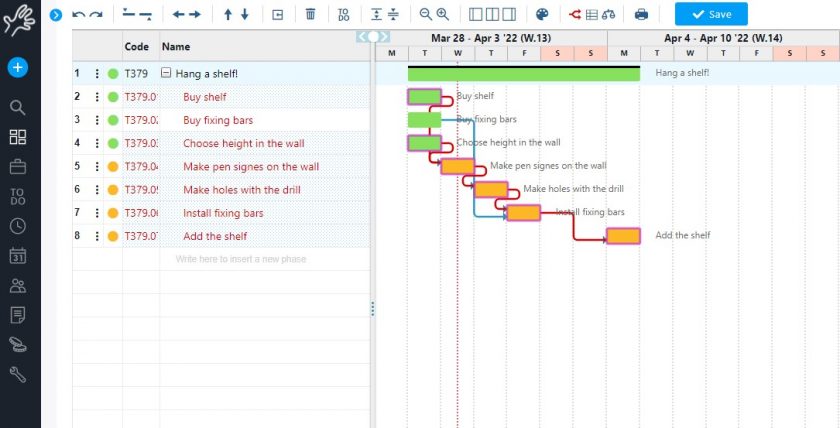
The first step is to structure the project using the interactive Gantt chart in Twproject: each project is broken down into phases and sub-phases, with durations, dependencies, and milestones defined directly on the timeline. This is not just a visualization tool: from the Gantt chart, you can assign resources, balance the workload, and monitor progress in real time.
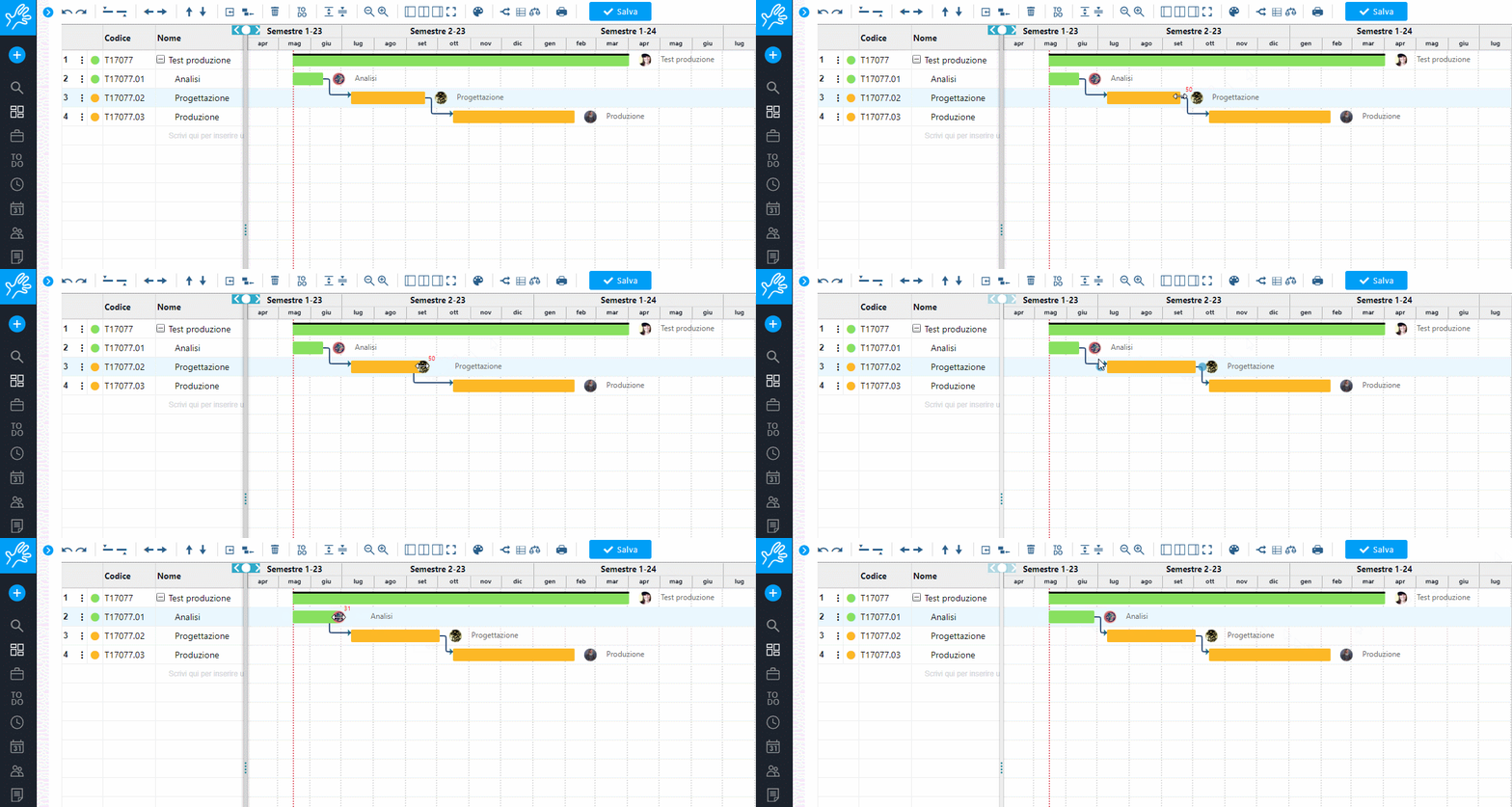
Once the structure has been defined, Twproject allows you to run a critical path analysis: the system analyzes all dependencies between tasks and identifies the sequence that, if delayed, will delay the entire project. For a team managing multiple projects simultaneously, this means knowing at all times which task to focus on — not after the fact, but while the project is in progress.
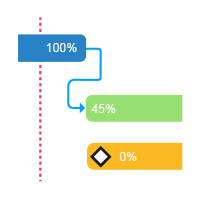
Milestones, which can be configured directly in the Gantt editor, serve as formal checkpoints agreed upon with the client. Once set, they cannot be moved without an explicit decision: this introduces a level of rigor that protects both the team and the relationship with the client.
How do you use ToDos to track additional requests?
When an out-of-scope request comes in, there’s a risk that it will be handled informally — via email or a note jotted down during a call — and that we’ll lose track of when it arrived, who submitted it, and how much it impacted the work. Twproject solves this problem with ToDos.
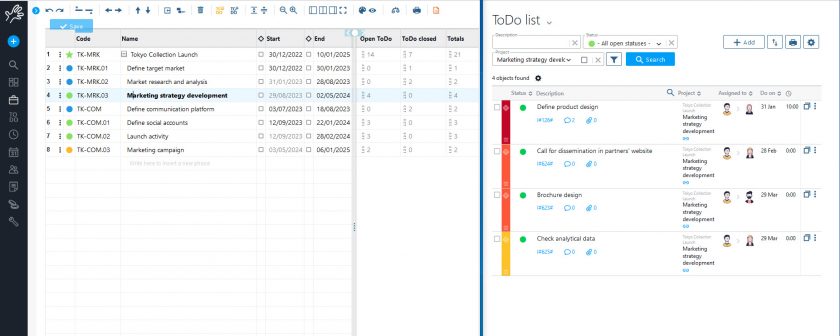
Each additional request can be recorded as a ToDo, tagged, and linked to the project phase it belongs to. From the Gantt chart, you can view all assigned ToDos for each phase and their status: what has been completed, what is still pending, and what was added after the contract was signed.
Tags allow you to distinguish at a glance between the original tasks and those added later, making the history of scope changes immediately clear.
How do you compare the initial plan with the actual progress?
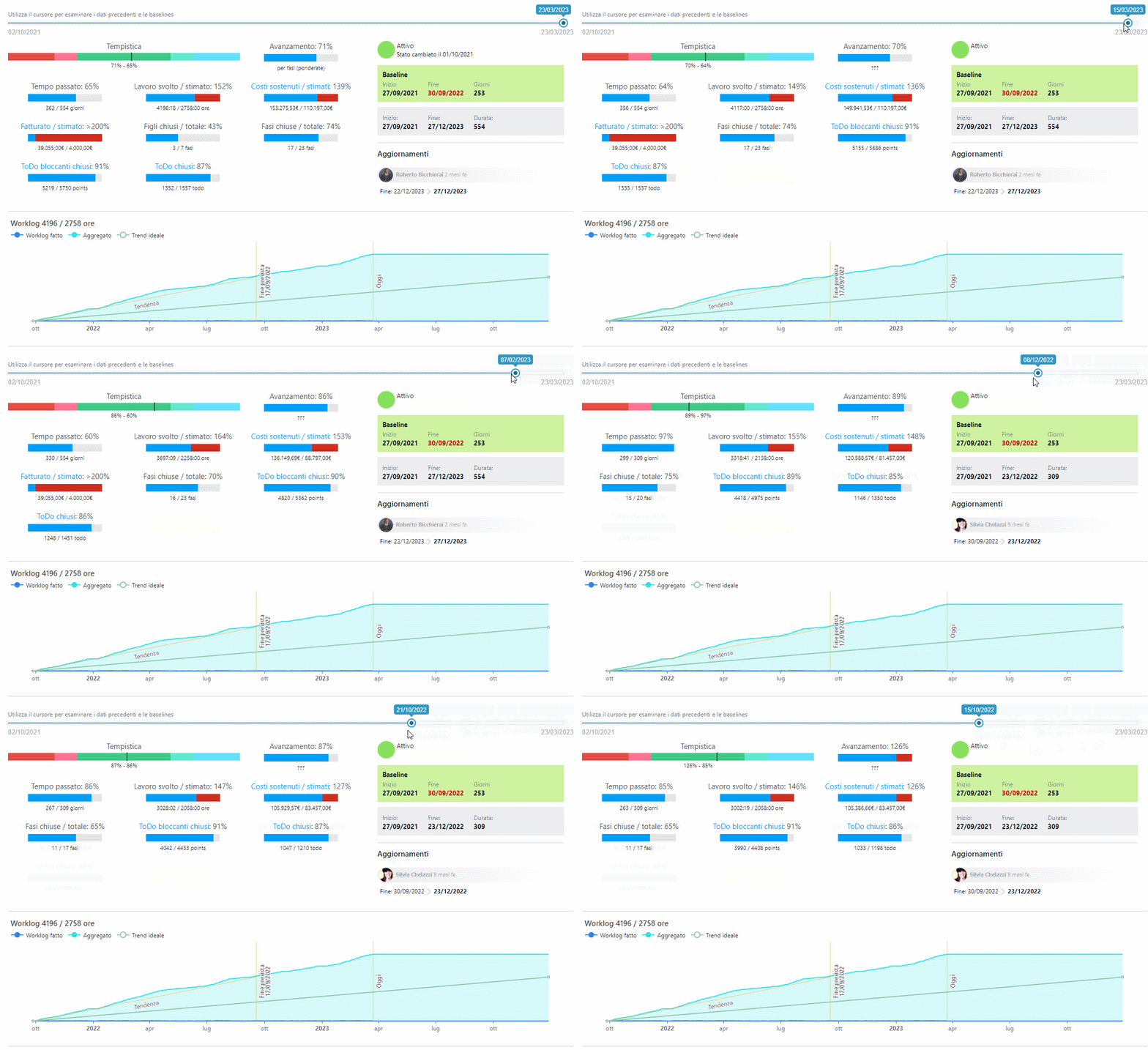
Twproject allows you to save a snapshot of the plan as soon as it is approved—either by the client or internally—as the original baseline. From that point on, every change to the Gantt chart is tracked: thanks to snapshots, you can compare the current status with the initial situation and see exactly where the project has deviated from the original plan, at which stage, and why.

For a consulting firm, this feature is doubly valuable. Internally, it allows you to identify scope creep early on before it becomes unmanageable.
In terms of client relations, it increases transparency and transforms the conversation about scope into a dialogue based on objective data: not “we spent more hours than expected,” but “here are the phases that changed, here’s when it happened, and here’s the impact on deadlines.”
How do you integrate time and cost tracking into a single system?
A timeline delay is never just a matter of dates; it’s always a matter of costs as well. Twproject natively integrates time and financial planning: for each project phase, budgets, estimated costs, and actual costs are available, updated as resources log their hours directly on tasks.
For a consulting firm, where the project margin depends directly on the hours worked, this kind of visibility makes the difference between reactive and proactive management. It’s not practical to wait for the month-end report to realize that a phase is consuming more resources than expected.

With Twproject, you can view this data in real time, right within the same interface where you plan your work. With a single platform, project planning is not separated from operational management: assigned resources log their hours directly on tasks, which updates both the actual hours and the progress status on the Gantt chart in real time. Furthermore, any delay in the timeline immediately triggers a financial alert.
Everything is connected—and everything is visible from a single location. project cost control, resource management, and project portfolio management are all part of the same system.
📹 Watch the video to get a better understanding of how to work with the Gantt chart:
A real-life case: Gap Studi e Consulenze
Gap Studi e Consulenze is a company specializing in outsourced management control. With a distributed team and complex projects to manage step by step, they needed a tool that combined ease of use with powerful planning capabilities. In the words of the Assistant and Project Manager:
Twproject ci consente di pianificare in modo trasparente ed efficiente, incrementando la produttività del team e massimizzando quella complessiva.

In other words, Twproject’s interactive Gantt chart allowed the agency to allocate resources phase by phase, while keeping an eye on both workloads and timelines.
During project implementation, the agency is able to monitor progress with full transparency and report on hours worked in a simple and accurate manner—from any device.
Want to see how it works with the structure of your projects?
If you’re not sure how to get started setting up your consulancy projects using Gantt charts, we’re here to help!
Our expert consultancy tutors will show you Twproject configured to your actual workflow: phases, resources, milestones, and everything you need to keep your projects and scope under control.
👉 Book your free, personalized demo