

If you manage consultancy projects, you’ll be all too familiar with the problem: the approved budget provided by the client is one thing, but what actually happens during the project is quite another. Unrecorded hours, internal costs that are difficult to isolate, and financial reports that always arrive too late.
CONTENT
- The key issue: keeping the internal and accounting views distinguished
- How to manage costs from start to finish
- 1. Project structure by contract
- 2. Budget by phase, not just by project
- 3. Gantt chart with integrated financial view
- 4. Integrated time tracking
- 5. Budget vs. actual figures always visible
- 6. Management of non-resource costs
- 7. Client reports
- A real case: Temera
- Project cost management is part of a system
- Do you have a consultancy team? Let’s start with your projects
The result? Shrinking margins, project managers under pressure and dissatisfied customers.
Yet it is not an unsolvable problem. It is a question of process — and of tools.
The key issue: keeping the internal and accounting views distinguished
In consulting firms, one of the most common mistakes is managing project costs through the accounting system or the company’s ERP system. Tools such as SAP provide a view focused on accounting, not operational management. They do not allow you to see in real time where the project stands, how much of the budget has been spent compared to actual progress, or how individual resources are performing.
Twproject solves this by clearly separating the two aspects:
- Project overview: actual resource costs, recorded times, and variances from the budget.
- Client/accounting view: what is reported and invoiced, in accordance with the agreed rules.
This separation is crucial. It allows the PM to work with the actual data and the CFO to have the accounting perspective — without the two getting in each other’s way.
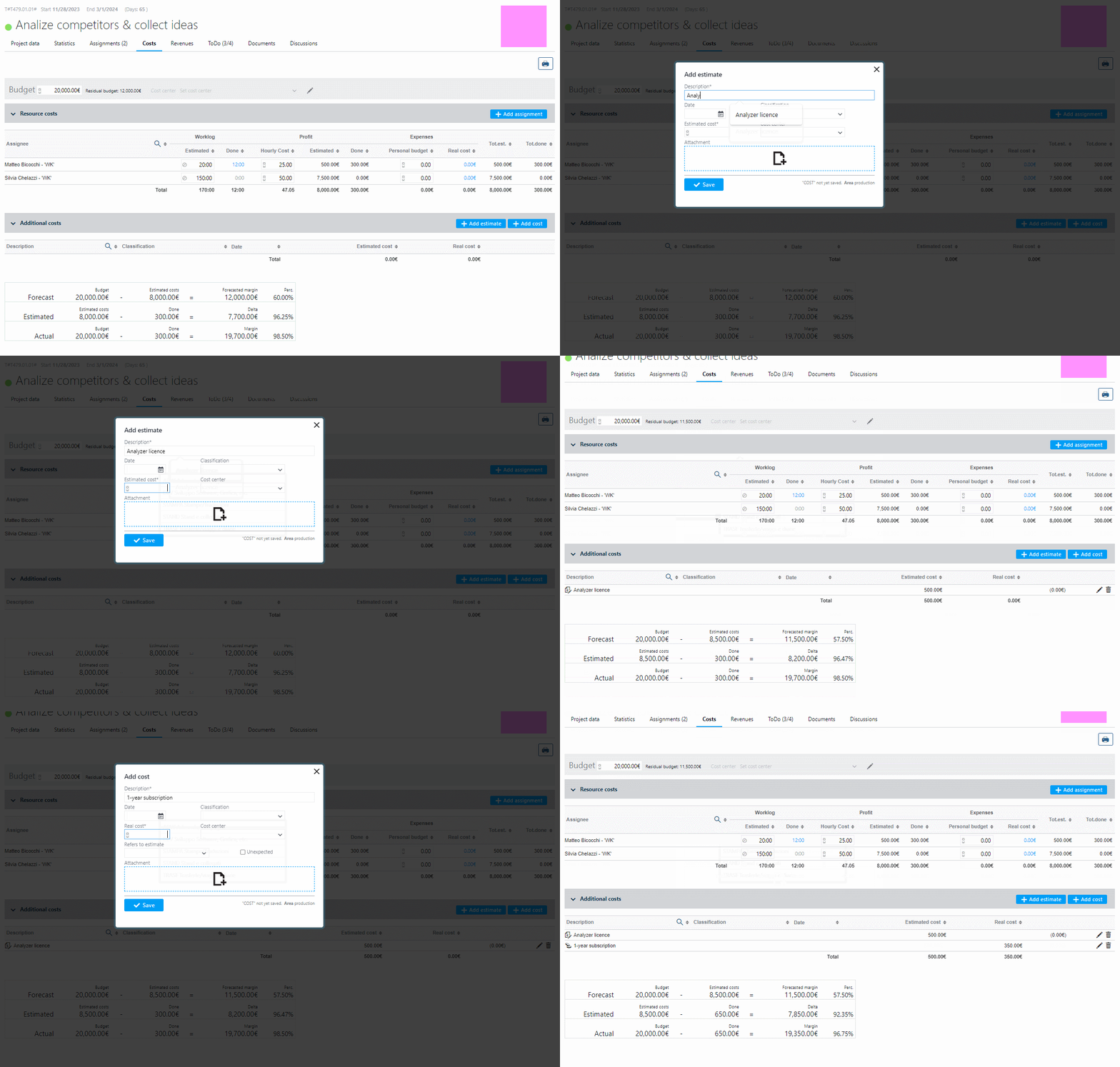
How to manage costs from start to finish
Here is the practical process that consulting firms implement using Twproject:
1. Project structure by contract:
Do you ever lose track of the tasks and responsibilities involved in each client project?
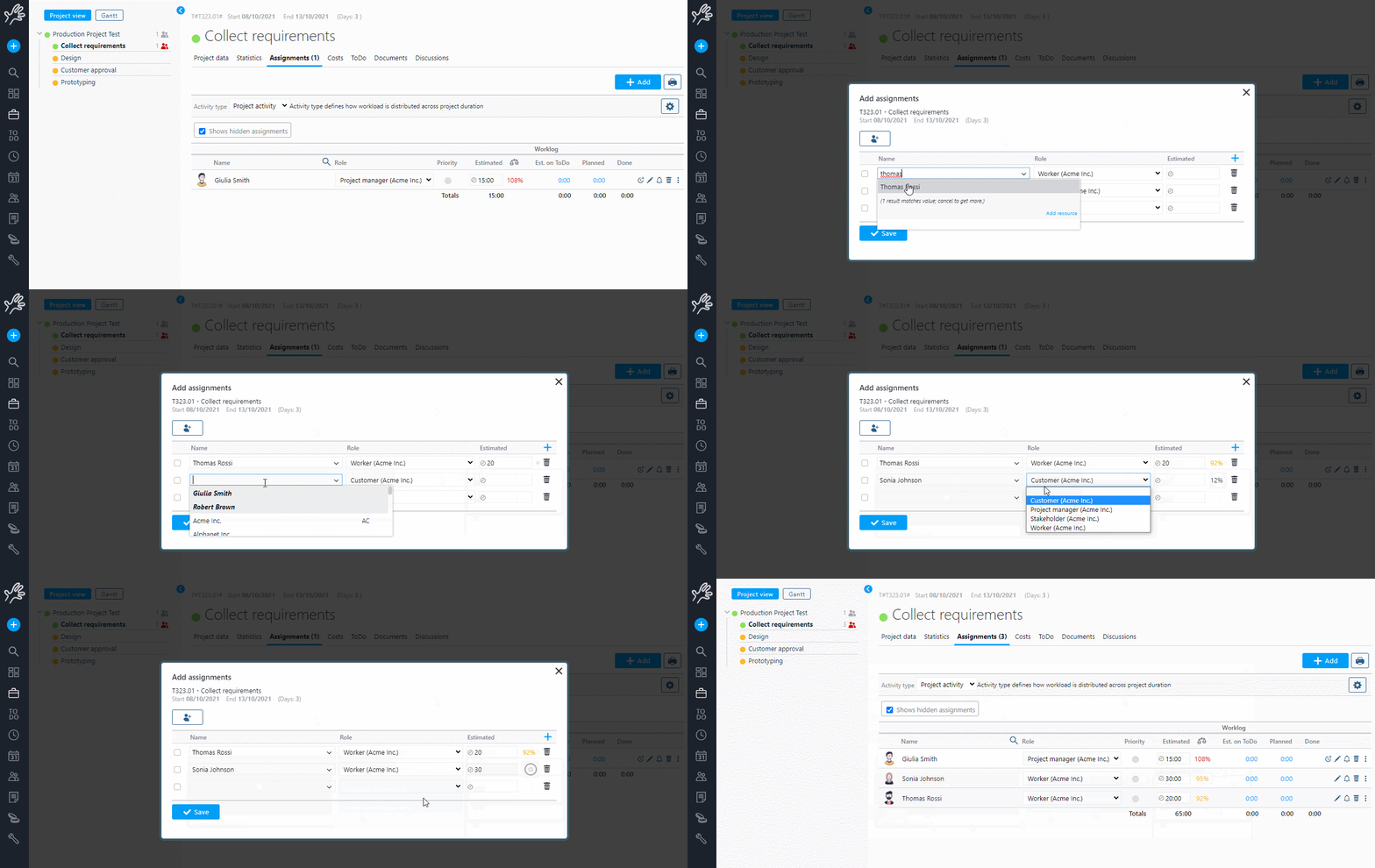
👉 With Twproject, every client order becomes a project (or a sub-project). Tasks are planned using Gantt, assigned to resources, and internal hourly rates are set for each person.
2. Budget by phase, not just by project:
Do you really know which stages of the project are affecting your profit margin… or do you only find out at the end?
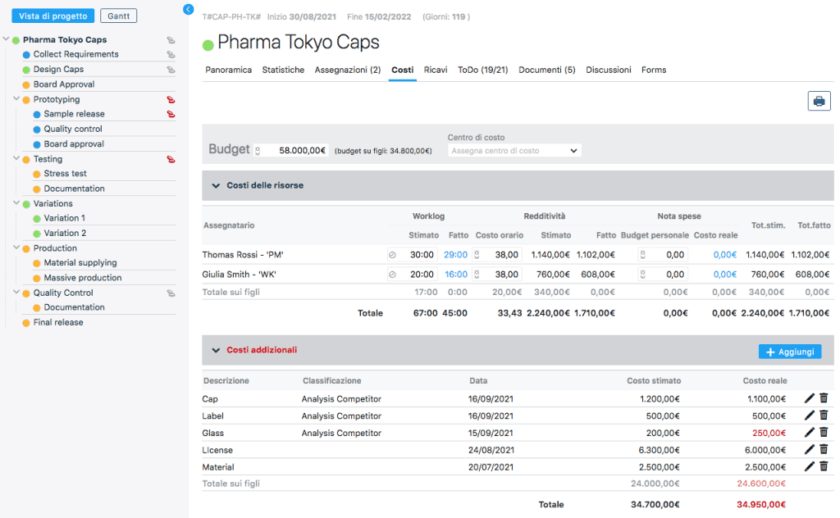
👉You can assign a separate budget to each sub-phase of the project. This is particularly useful in consultancy work, where different phases — analysis, development, testing, support — may have separately negotiated costs or be invoiced at different times. This allows you to monitor the budget vs. actual variance on a phase-by-phase basis, rather than just at an aggregate level: you can see straight away if a phase is eating into the margin, before it affects the entire project.
3. Gantt chart with integrated financial view:
Do you have to cross-reference planning and costs across different tools to see how a project is progressing?
👉 Twproject allows you to integrate project financial data with your Gantt chart. This means you can view both the progress of tasks and cost trends on a single screen: a delay in the timeline immediately triggers a financial alert, without the need to cross-reference data across different tools.

4. Integrated time tracking:
Does your team use Excel or separate tools, and do you waste time chasing up data?
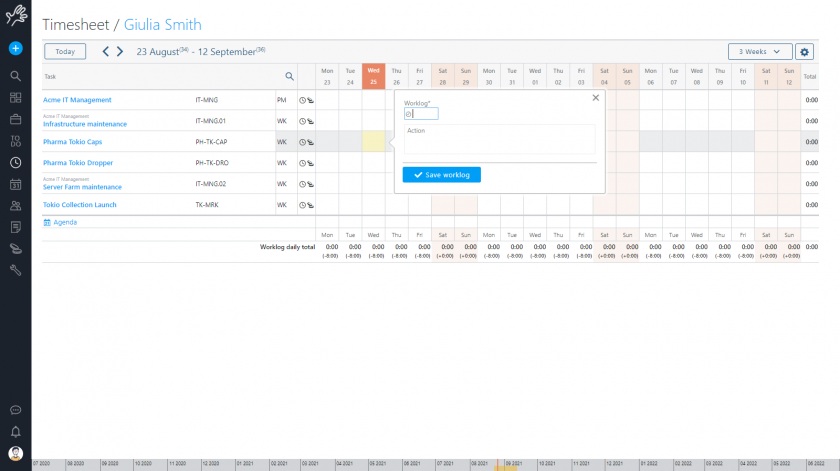
👉 Thanks to a highly efficient timesheet system, with Twproject team members can log their hours directly against tasks. No separate Excel spreadsheets, no data to import manually. The hours reported are automatically added to the project’s progress report in real time.
5. Budget vs. actual figures always visible:
Do you only realise a project is over budget at the end of the month, when it’s too late?
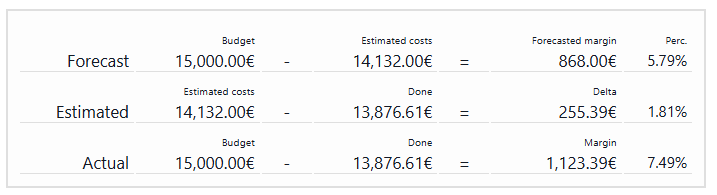
👉 In the cost management dashboard, you can see the estimated budget, accrued costs and variance at any time and for every stage of the project. If a project is getting out of hand, you’ll spot it before it’s too late — not at the end of the month when the damage has already been done.
6. Management of non-resource costs:
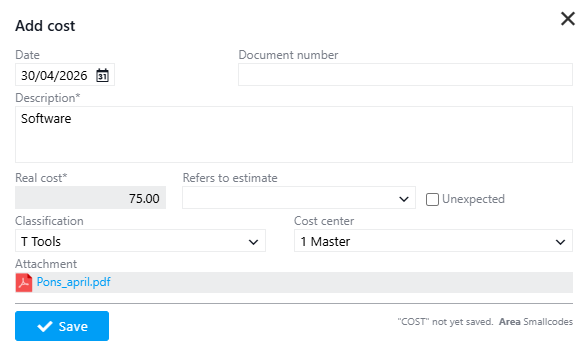
Software licences, travel expenses, supplies… are you really tracking them?
👉 With Twproject, you can also allocate these costs directly to the project, centralising all expense items. This gives you a complete and realistic view of the margin, without having to reconstruct the data retrospectively.
7. Client reports:
Does preparing progress reports waste your time and require manual reworking?
👉 From the same platform, you can generate progress and reporting documents to share with the client, whilst keeping internal data separate from external communications.
A real case: Temera
Temera, a consultancy firm specialising in IoT and IT solutions for the luxury sector, had evaluated SAP, Wrike, Asana and JIRA before choosing Twproject — none of them managed to combine operational management with cost control.
The result following the implementation of Twproject? A 25% reduction in operating costs and a PMO managing over 15 projects that is finally under control. In the words of their COO:
Twproject has provided an excellent combination of pure project management with budget and cost control features. None of the other tools has been able to address this issue as effectively as Twproject does.

In short, Temera has succeeded in implementing effective cost control over the resources directly involved in project-based work and in incorporating all costs for resources and other services within a single management environment.
Project cost management is part of a system
Cost control is one of the critical aspects for a consultancy firm, but it is not the only one. To operate effectively, you need robust processes across several areas: time management, an overview of the project portfolio, and monitoring of profitability per client. These are different but closely interlinked aspects — and they only really work when they communicate with one another on the same platform.
Do you have a consultancy team? Let’s start with your projects
If you’d like to get a clear idea of how it works, this video provides a brief overview of how Twproject manages project cost control — from phase-by-phase budgeting to real-time reporting.
If, after seeing it, you’d like to find out more about how it could work for your business, we’re available to provide a personalised demo with a dedicated tutor: we’ll show you Twproject configured to the structure of your projects, with your roles and workflow.
👉 Book your free, personalised demo